
Precision Text Styling, Automatically
Transform your spreadsheets with intelligent, multi-rule text formatting that native Sheets can't match
Install from Marketplace
Transform your spreadsheets with intelligent, multi-rule text formatting that native Sheets can't match
Install from Marketplace
Google Sheets applies a single style to entire cells
Example: A cell containing "Urgent Task - High Priority" will only show one color, even if you want "Urgent" in red and "High Priority" in yellow

Text separators like "|" are not supported for segment styling
Example: You can't automatically format "Task|Urgent" to show "Task" in blue and "Urgent" in red in the same cell
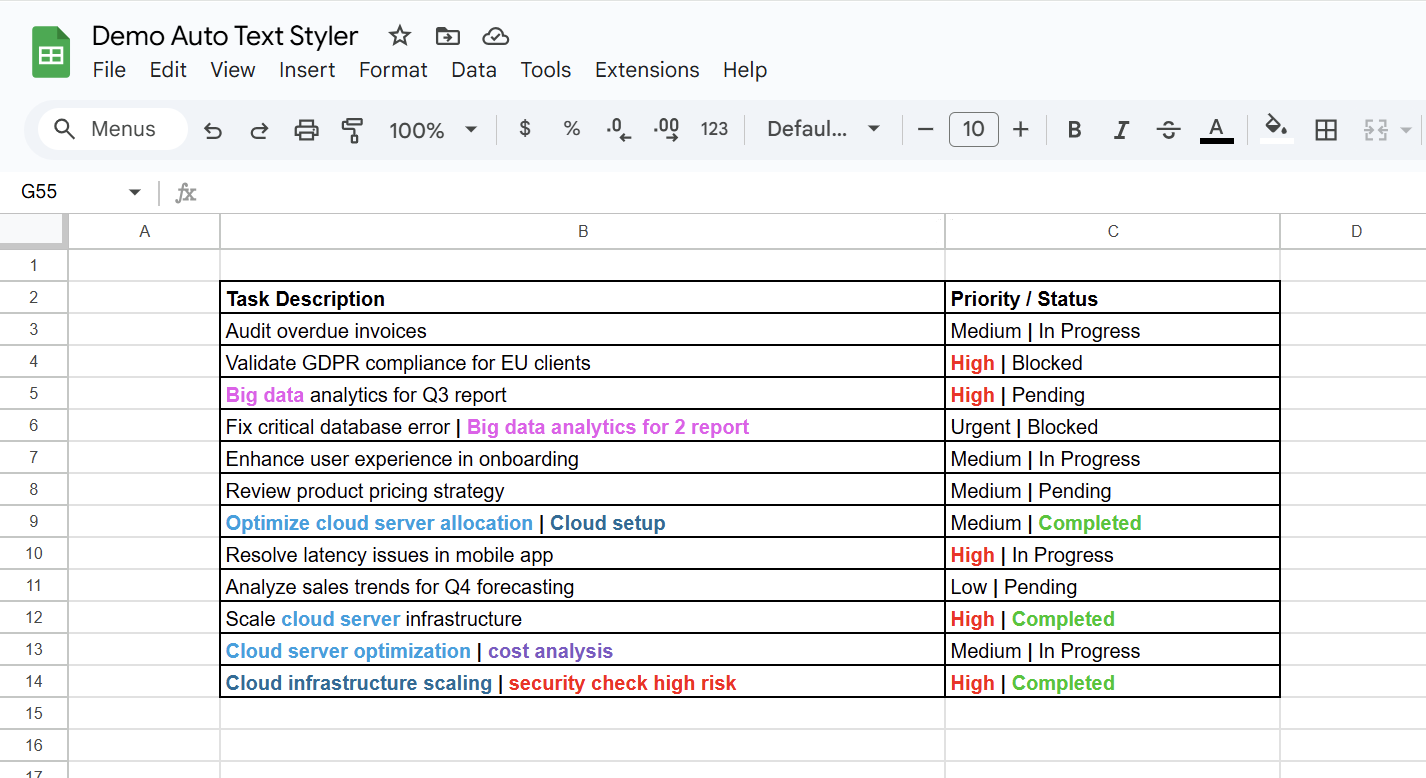
Style individual words, phrases, or blocks within the same cell
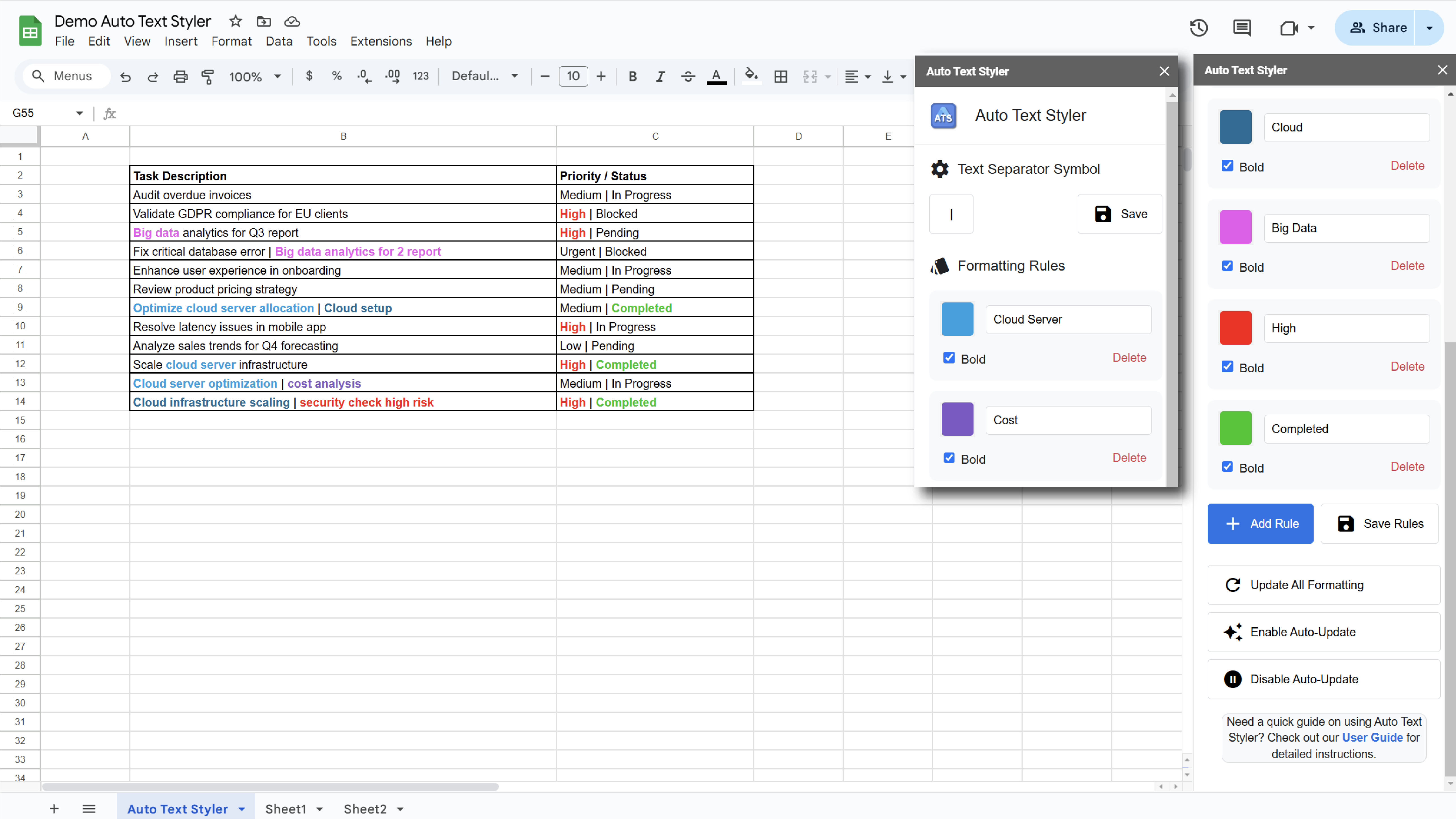
Define text separators (like "|") and style each block separately
Color-code different data elements within cells for quick visual parsing of complex information
Maintain consistent styling across shared documents with individual user triggers
Instantly highlight critical terms like "Error", "Warning", or "Critical" in distinct colors
Automatically apply different styles to multiple keywords in the same cell
Automatic styling on every edit with manual "Update All" for existing data
All styling happens in your browser - no data leaves your device
Gain full control over your spreadsheet styling with Auto Text Styler
Install Now and See the Difference